
For Paid Printing mode, you must define a price list for guest print jobs.
-
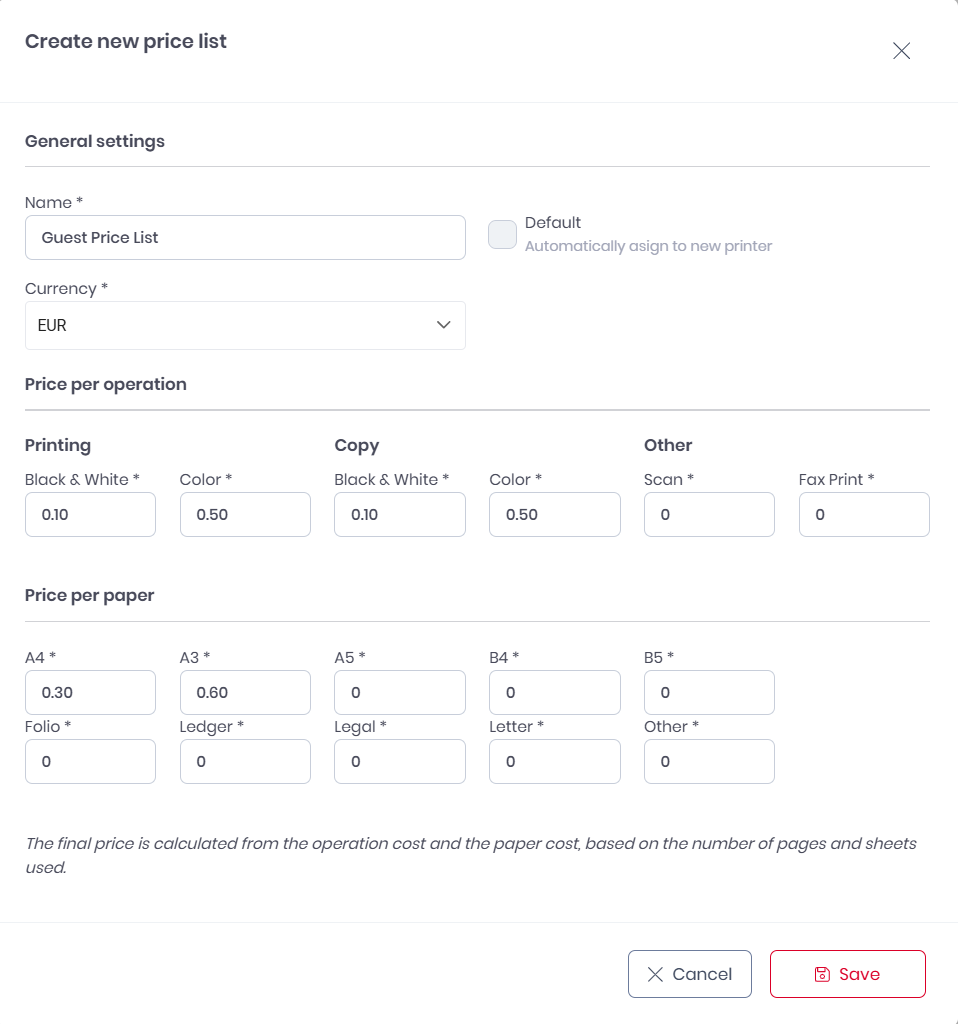
Go to Roger > Price Lists.
-
Select Create new price list, or select an existing one to modify.
-
Select Default.
-
Set the currency for your pricelist.
Important!
Transaction currency is determined by your price list. To avoid currency conversion fees, match your price list currency to your Stripe payout currency.
-
Configure pricing:
-
Set per-page costs for B&W and color printing.
-
Set prices for different paper sizes.
-
-
Save the price list.
Minimum Chargeable Amount
When a guest's print job costs less than the minimum chargeable amount for the transaction currency, the system automatically charges the minimum amount instead. Fees are calculated on the final charged amount (after the minimum is applied), not on the original job cost.
Example: A print job costs €0.40, but the guest is charged €1.00 (the EUR minimum). Stripe fees apply to the €1.00 charge.
More Information