
Enabling Login allows users to login via the Microsoft Identity platform.

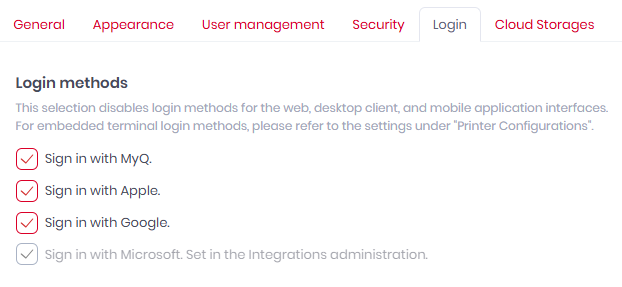
Before the release of Roger 2.20 and Integrations, this was controlled by the Sign in with Microsoft checkbox in Settings>Login. While the option is still displayed there it can now only be enabled or disabled from the Integrations administration section.
Once enabled users can log in with their synchronized email addresses.
Other login-related options are available in Settings > User Management.
Entra ID Application
-
Name: MyQ Roger
-
Split Integration ID: ae19fcc2-39cc-46a1-b83b-45b7d3c73ec6
-
MyQ Roger Integration ID: c6816776-9245-4ab7-9593-df97367aee56
Required Scopes
-
openid -
profile -
email -
https://graph.microsoft.com/User.Read