
To access your MyQ Roger tenant, start by logging in to the MyQ Roger Server web interface using your regional URL and your assigned tenant credentials.
Log In to MyQ Roger Server
-
Open a web browser and navigate to your regional URL:
-
Europe:
https://eu.roger.myq.cloud -
Americas:
https://us.roger.myq.cloud
-
-
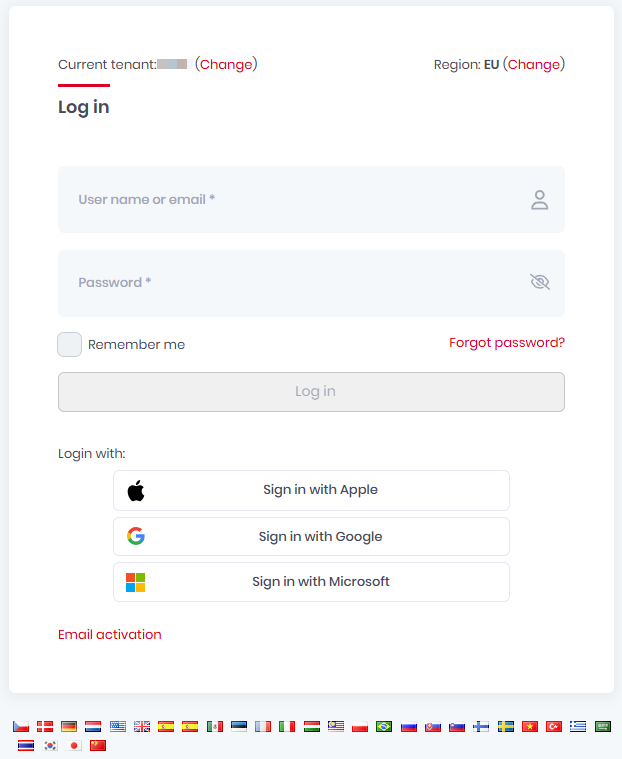
Enter your Tenancy name (the identifier for your organization's tenant).
-
Enter your MyQ Roger username and password.
OR -
Choose your sign-in method:
-
Sign in with Apple - Sign in with your Apple ID.
-
Sign in with Google – Sign in with your Google ID.
-
Sign in with Microsoft – Use your Microsoft Entra ID credentials
-
Web Interface Overview
Once logged in, the Home dashboard displays widgets with usage statistics and reports.
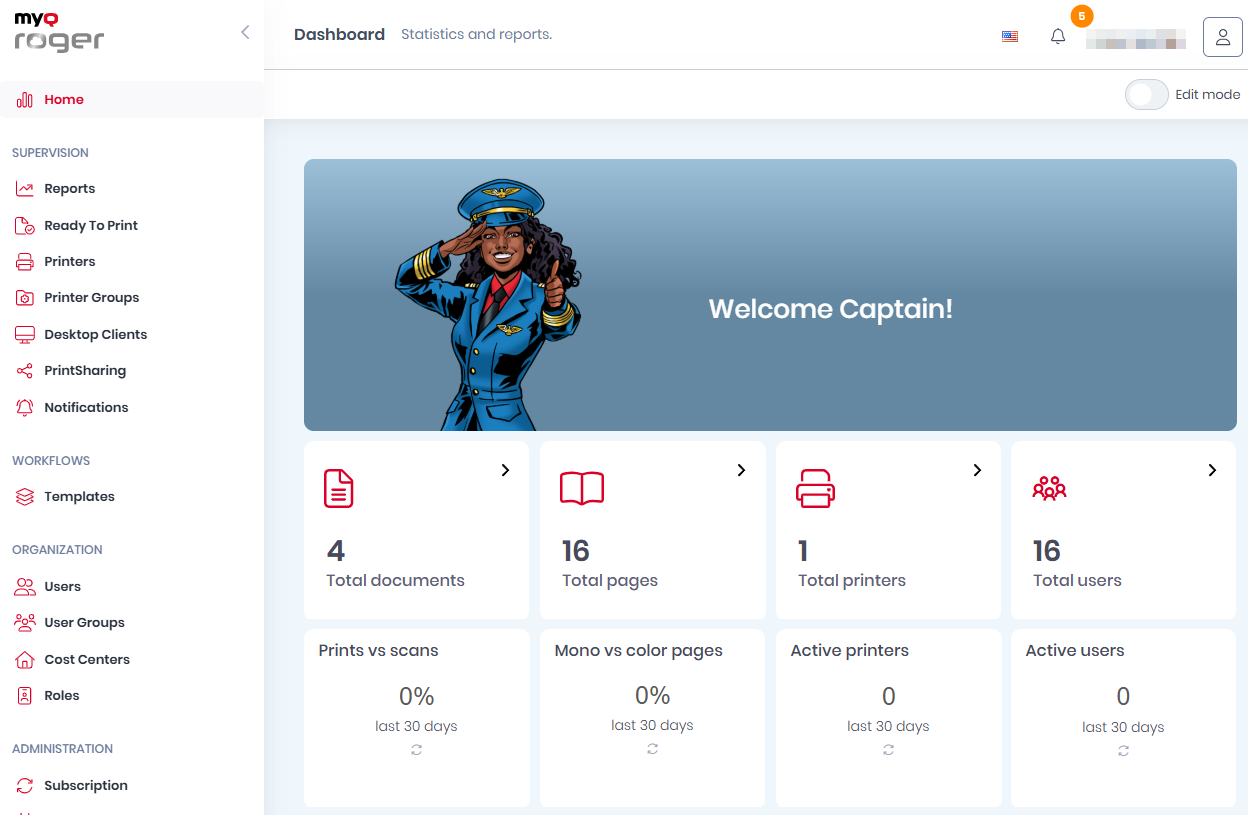
The main menu (accessible from the left side) is organized into these categories:
|
Menu |
Purpose |
|---|---|
|
Home |
Dashboard with widgets for statistics, reports, and quick actions. |
|
Supervision |
Manage Reports, Printers, Printer Groups (CPM license), Desktop Clients, and Notifications. |
|
Workflows |
Create and manage workflow templates (CPM license). |
|
Organization |
Manage Users, User Groups, Cost Centers (CPM license), and Roles. |
|
Administration |
Configure Subscription, Integrations, Price Lists, Printer Configurations and Settings. |
|
System |
Access Audit Logs and system information. |