Quotas enable you to set limits on how much users can print or copy. When this feature is enabled, it will prevent the user from printing and copying after they reach or exceed their quota.
Requirements
-
MyQ Roger Server 2.18+
-
MyQ Roger HP 26.5+
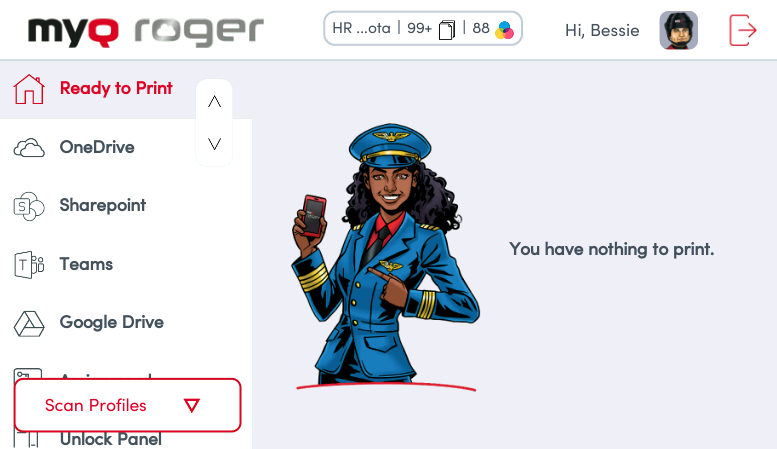
Users can view their available quota at the top of the embedded terminal.
The Roger Server administrator creates and configures quotas in the Cost Centers area of the MyQ Roger server. Once the quota is reached, the user is restricted from printing and copying. For more information, see Quotas in the MyQ Roger Server Administration guide.
When a user reaches their quota, the current operation completes, and no further print operations can be processed.
Changing Cost Center
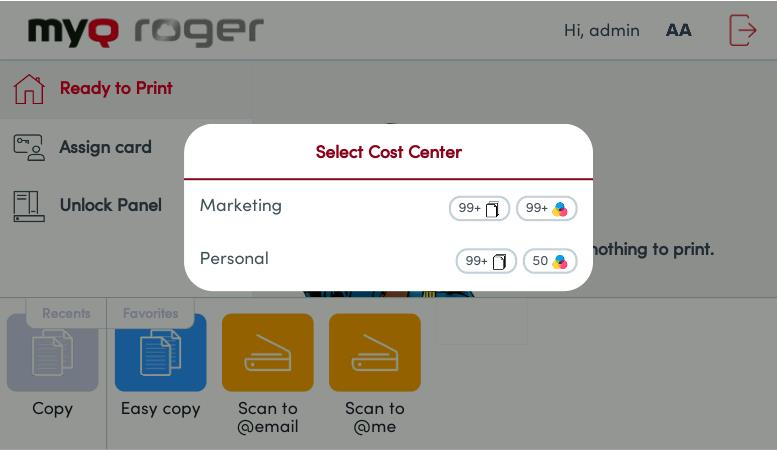
If a user is assigned more than one Cost Center, when logging in to the terminal they will be asked to select which cost center they wish to use.