If you are planning on using scan to email, the SMTP server must be set on the device.
-
Log in to the device’s web UI.
-
Go to Function settings > E-mail > SMTP.
-
Type the
SMTP server’s IP addressorhostnamein the SMTP Server Name field.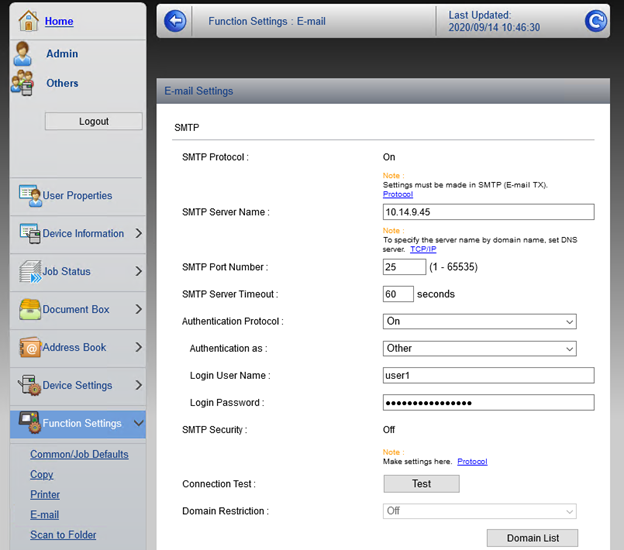

If you are planning on using scan to email, the SMTP server must be set on the device.
Log in to the device’s web UI.
Go to Function settings > E-mail > SMTP.
Type the SMTP server’s IP address or hostname in the SMTP Server Name field.