After the installation, there are some additional settings to be done in the device’s web UI, some mandatory and some optional.
Energy Saver Settings
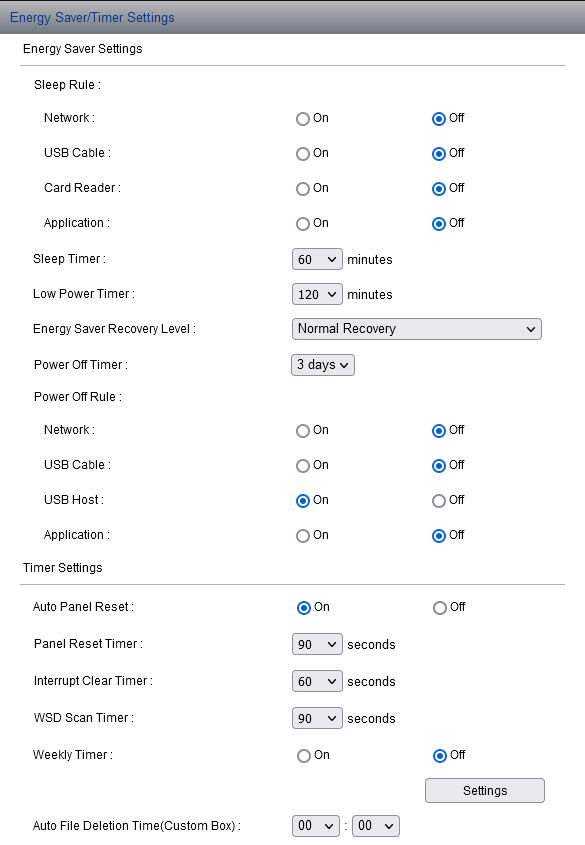
The energy-saver settings are mandatory. If they are not set correctly, the app will not work properly.
There should not be any sleep and/or power-off timer rule activated for the network and the application.
To make the application work properly, the settings should be set according to the screenshot below.
-
Log in to the device’s web UI.
-
Go to Device Settings > Energy Saver/Timer Settings.
-
Set the Energy Saver Settings and Timer Settings according to the screenshot (most of the options should be set to Off).