
Requirements
-
Google Chrome or ChromeOS.
-
A MyQ Roger account with Google Drive connected.
Install the Extension
-
Install MyQ Roger from the Chrome Web Store.
-
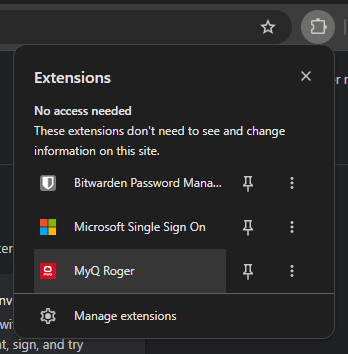
Click the extension icon in the Chrome toolbar.
-
If you do not see the extension, click the puzzle piece icon and pin MyQ Roger.
-
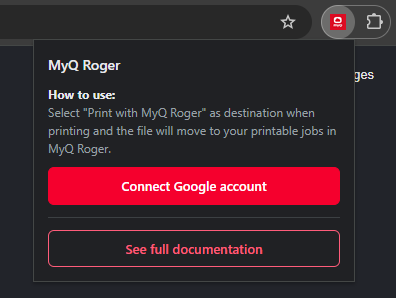
Click Connect Google account. Google shows its account chooser. Select the Google account that is connected in MyQ Roger.
-
If Google asks you to approve access to your Google Drive, approve it. Google only asks if MyQ Roger has not had access to this account before. The extension uses this access to find the MyQ Roger folder and upload your documents to it.
The popup shows the connected Google account.
The extension does nothing until you connect a Google account. If you print before connecting, the Google sign-in window opens before the document is sent.
The Google account you connect in the extension must be the same Google account connected in MyQ Roger. The extension saves documents to the account you selected when connecting, while MyQ Roger reads the account connected in MyQ Roger. If the accounts are different, printing succeeds but the document does not appear in your MyQ Roger jobs. The Google account signed in to Chrome itself makes no difference.
If the accounts are different, the extension shows a warning in the popup, and the notification after printing says Uploaded, but not visible in MyQ Roger. To fix this, click Sign out in the popup and connect again with the correct account, or connect that account in MyQ Roger.
Sign Out or Switch Account
-
Open the extension popup.
-
Click Sign out next to your account name.
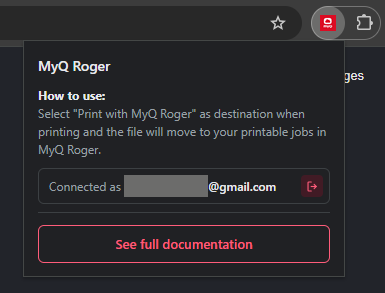
The extension forgets the account. The next time you click Connect Google account, Google shows the account chooser again, so you can select a different account. Uninstalling the extension has the same effect.
Do not remove MyQ Roger's access in your Google account settings (myaccount.google.com) to sign out of the extension. MyQ Roger and the extension share this access, so removing it also disconnects Google Drive in MyQ Roger.
You can connect the account again at any time.