
Once MyQ Roger Client (MRC) is installed, the application starts running in the background as an agent and a daemon.
You can click the three dots in the upper-right corner to open the Actions Menu where you can visit the online help (Help), view information about the app (About), open the logs (Logs), and quit the application (Quit).
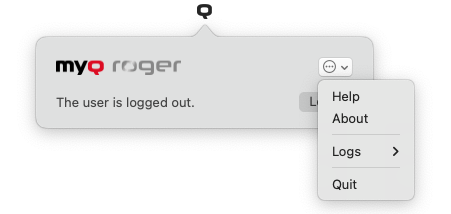
Click Login to begin the authentication process.